
Overview
VAT groups determine the value‑added tax (VAT) percentage that applies to products and services. Each group has a unique VAT ID and a corresponding percentage. The VAT Groups page lists existing groups and allows administrators to add new ones.
Who Can Use This
Users with accounting or retail setup privileges can manage VAT groups. Because tax rates influence pricing and accounting, changes should be restricted to authorised personnel.
Preconditions
- Your company’s tax rules and percentages should be known.
- You must have rights to modify VAT settings.
Navigation
Select Retail Setup → VAT Groups.
Step‑by‑Step Process
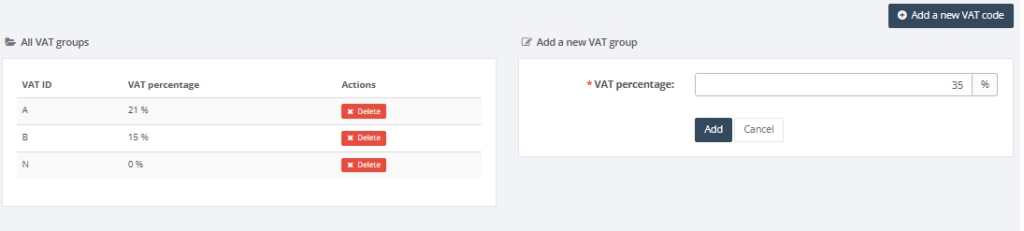
- Open the VAT Groups page. The table displays existing VAT IDs and their percentages.
- To add a new VAT group, enter the VAT ID (such as A, B, C) and the VAT percentage in the form on the right.
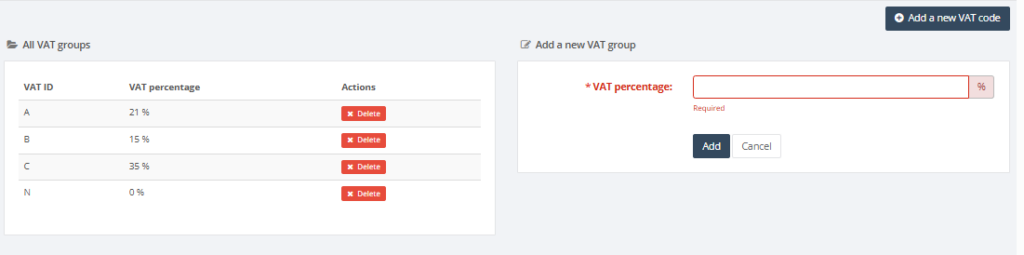
- Click Add to save the group. The new group appears in the list.
- If you need to delete an existing group, use the actions column.
Required Fields
- VAT percentage: numeric value representing the tax rate (e.g., 21 % or 12 %).
Validation Rules
- Each VAT ID must be unique.
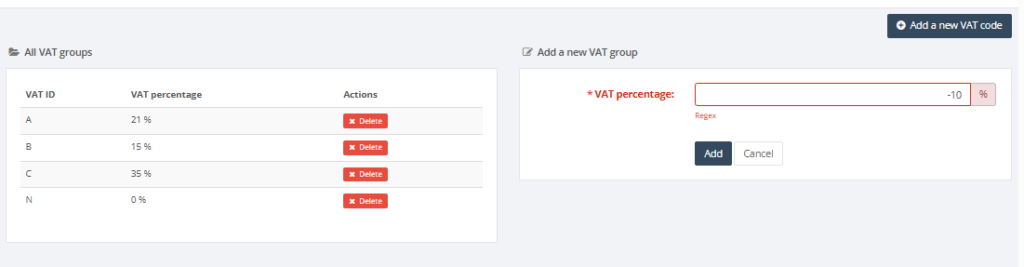
- VAT percentage must be a positive number (0–100 %).
Common Errors
- Percentage out of range: ensure the rate is between 0 and 100.
Troubleshooting
- If a product displays an incorrect VAT rate, verify that the correct VAT group is assigned to it.
- Consult your tax advisor before modifying VAT percentages.
Related Pages
- Units of Measure – units are associated with VAT groups in product setup.
- Product Card – each product references a VAT group.