
Purpose
The Gift Card API enables external systems (such as POS terminals, e‑commerce sites or mobile apps) to interact with Resico’s gift card module. It exposes endpoints for retrieving card information, selling (activating) new cards, using cards for payment, reserving a card during checkout and cancelling reservations. Access to the API is controlled via bearer tokens and all requests use JSON.
Roles involved
- Developers/integrators – implement calls to the API from external applications and handle responses.
- System administrators – manage API keys, configure endpoints and monitor usage.
- Business analysts – ensure that the data returned by the API meets business requirements and adjust workflows accordingly.
Preconditions
- API credentials – obtain a bearer token and consumer key from Resico support. Without valid credentials requests will be rejected.
- HTTPS connection – all API calls must be made over HTTPS.
- Gift cards must exist in the system for GET, use or reservation operations. To sell new cards via the API, ensure the necessary card type and location codes are configured.
Navigation path
The API documentation can be viewed within the application by navigating to:
Gift Cards → API
Step‑by‑step procedure
The API uses RESTful endpoints. Each request must include the Authorization header and Content-Type: application/json.
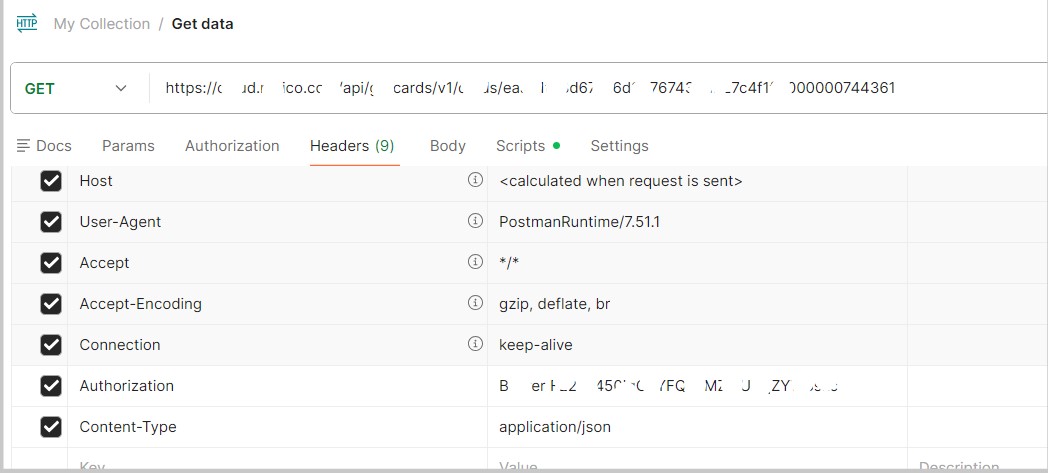
- Get card info – Retrieve details of an existing card.
- Endpoint:
GET /api/giftcards/v1/cards/{card_id} - URL parameters:
card_id– the unique card number. - Returns: JSON containing card attributes such as
id,giftCardNo, original balance, current balance, fixed amount flag, redeem allowed flag, location code, status and expiry date.(Example Postman)
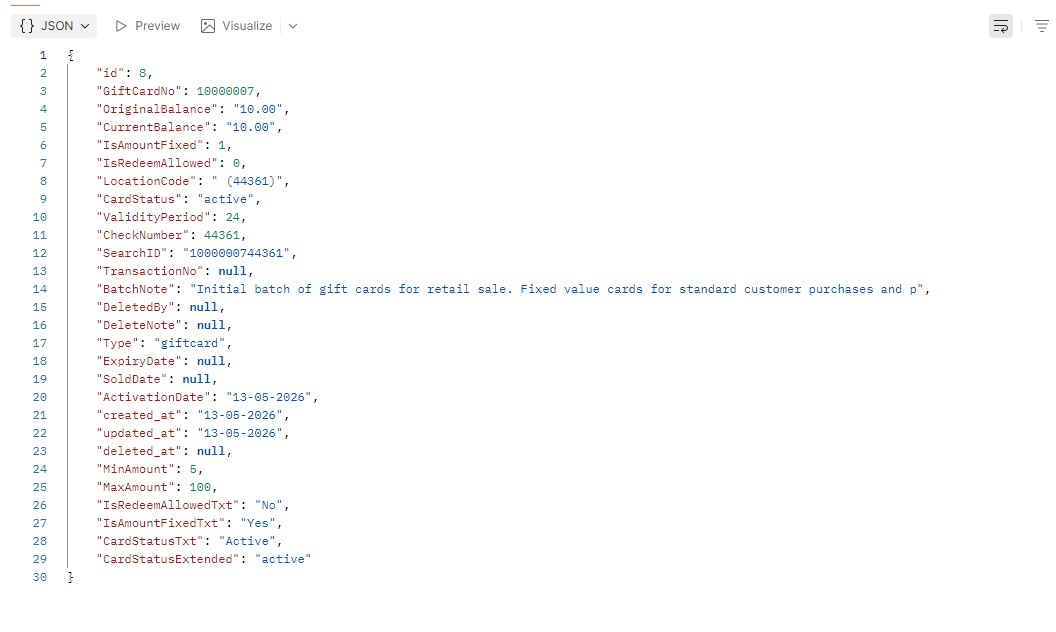
- Endpoint:
- Create a card – Issue a new gift card via the API.
- Endpoint:
POST /api/giftcards/v1/cards/create - URL parameters:
card_id– the desired card number. - Request body (JSON):
amount(decimal) – card amount.type(string) – card type (e.g. “card”).months(integer) – validity period in months.note(string) – note for the card.redeem_allowed(integer) – defines if the card can be redeemed (1 = yes, 0 = no).card_number(string/number) – unique card number.
- Returns: gift card data including the newly created card number and status.
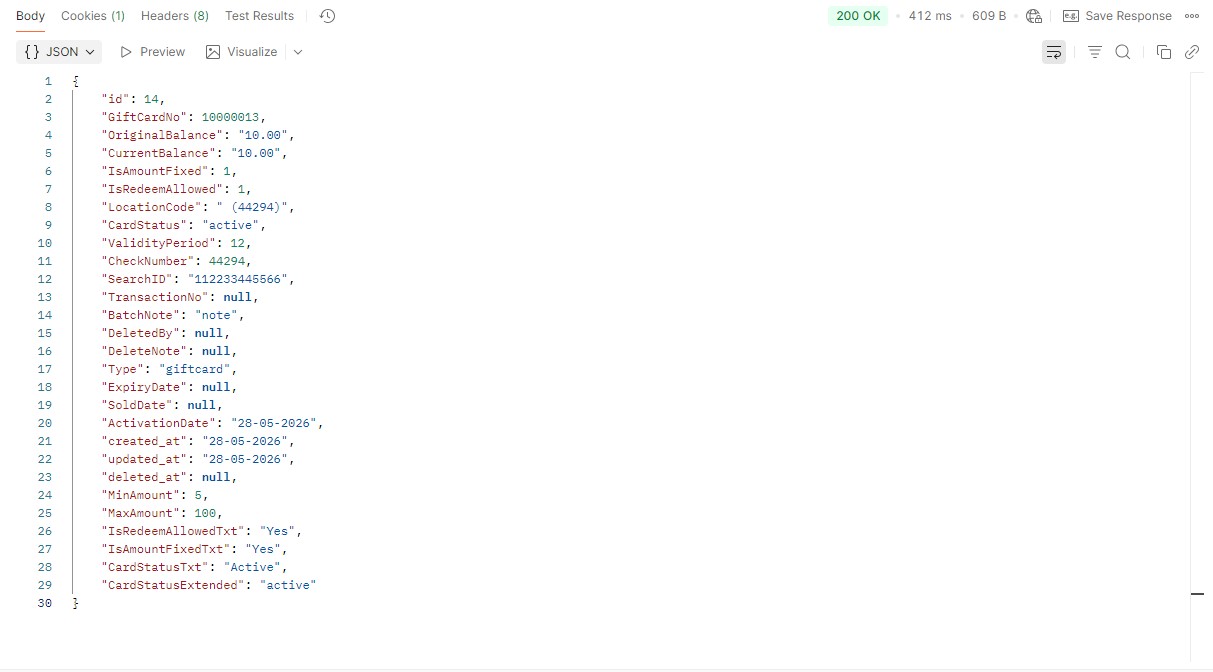
- Example body:
{"amount":10,"type":"card","months":12,"note":"note","redeem_allowed":1}.
- Endpoint:
- Sell a card – Sell a gift card via the API.
- Endpoint:
POST /api/giftcards/v1/cards/{card_id} - URL parameters:
card_id– the desired card number. - Returns: gift card data including the card number, updated balance, and confirmation that the card has been successfully sold.
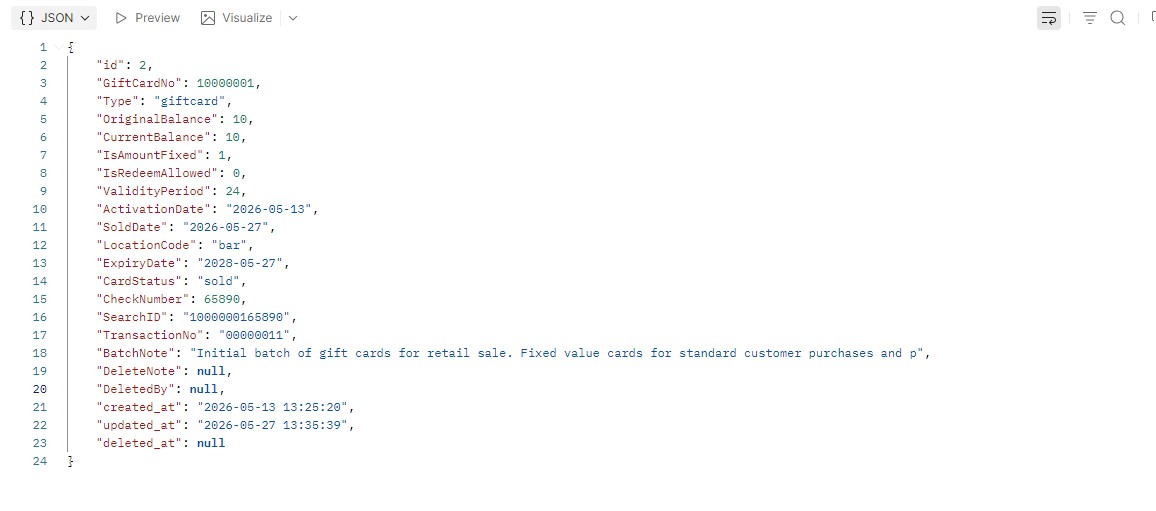
- Example body: {“amount”: 10, “transactionNo”: “00000011”, “locationCode”: “bar”}
- Endpoint:
- Sale using a card – Deduct value from a gift card when paying for goods.
- Endpoint:
POST /api/giftcards/v1/transactions/{card_id} - URL parameters:
card_id– gift card number. - Returns: gift card data including the updated balance after the transaction.
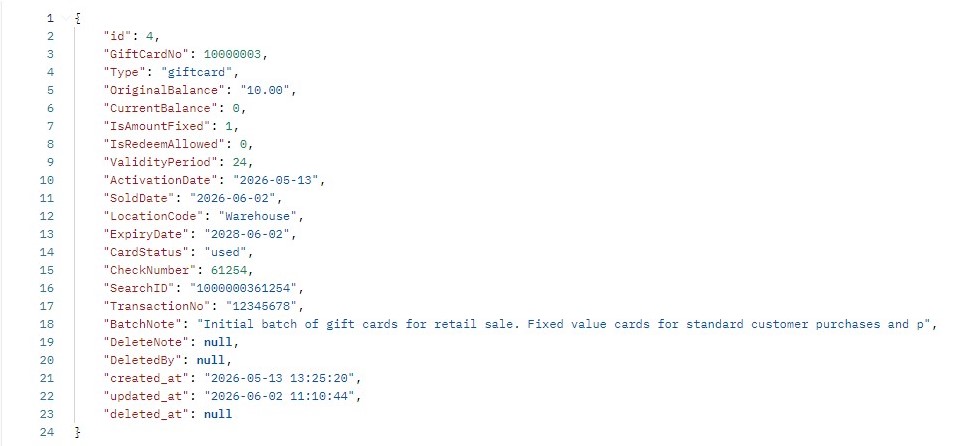
- Example body:
{"amount":10}.
- Endpoint:
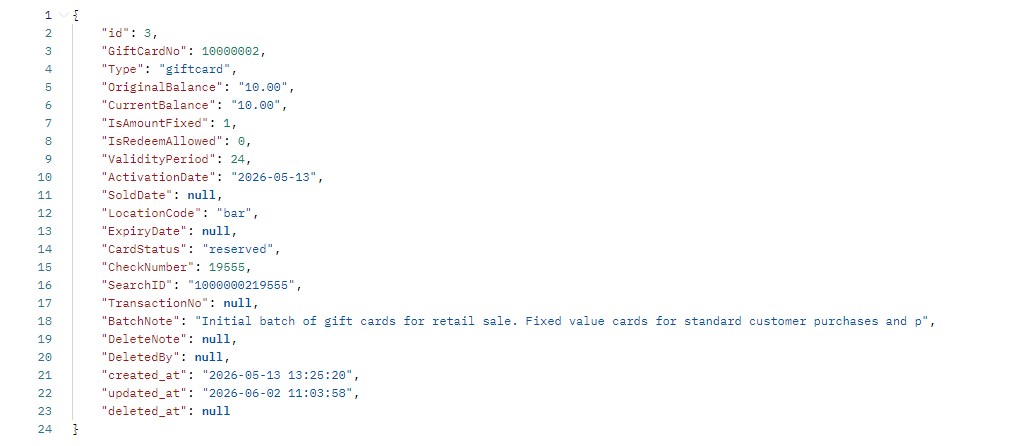
- Reserve a card – Temporarily hold funds on a card prior to finalising a transaction.
- Endpoint:
POST /api/giftcards/v1/reserve/{card_id} - URL parameters:
card_id– card number. - Returns: updated card data showing reserved balance.
- Example body:
{"locationCode":"bar"}.
- Endpoint:
- Cancel card reservation – Release a held reservation without deducting funds.
-
- Endpoint:
GET /api/giftcards/v1/cancelreserve/{card_id} - URL parameters:
card_id– card number. - Returns: gift card data.
- Endpoint:
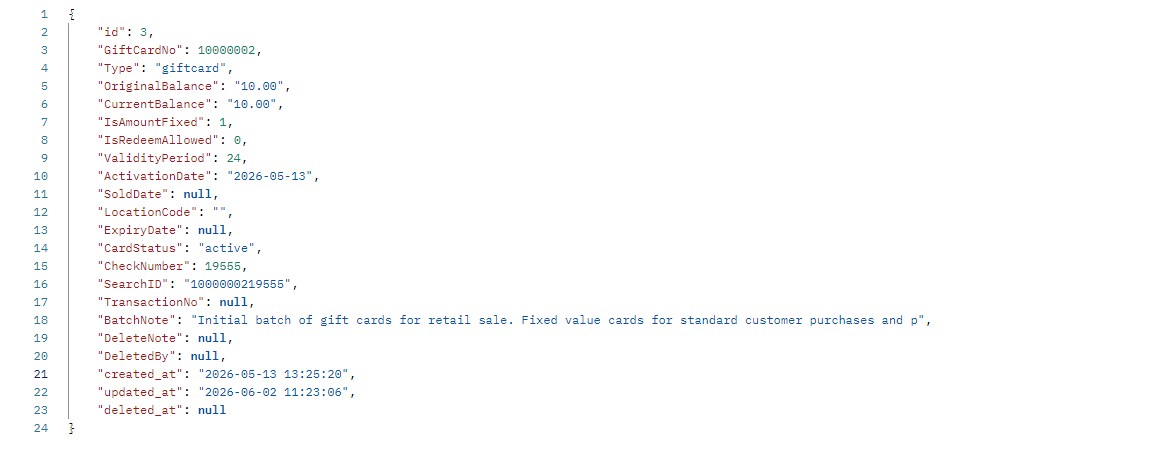
- Example body:
{"locationCode":"bar"}
-
- Create voucher – issue a voucher via API.
-
- Endpoint:
POST /api/giftcards/v1/cards/create - URL parameters:
card_id– the desired card number. - Request body (JSON):
amount(decimal) – card amount.type(string) – card type (e.g. “card”).months(integer) – validity period in months.note(string) – note for the card.redeem_allowed(integer) – defines if the card can be redeemed (1 = yes, 0 = no).card_number(string/number) – unique card number.
- Returns: gift card data including the newly created card number and status.
- Endpoint:
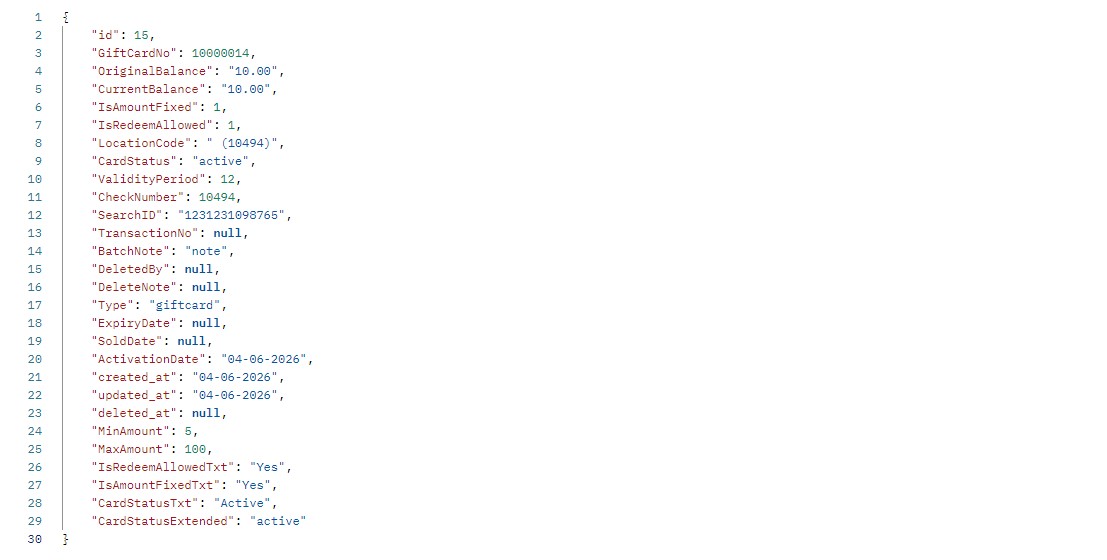
- Example body : {“amount”:10,”type”:”card”,”months”:12,”note”:”note”,”redeem_allowed”:1}
-
Validation rules
-
- Bearer token validity – expired or invalid tokens will result in 401 Unauthorized.
- Card ID format – must match the gift card number length; non‑existing cards return 404 Not Found.
- Amount fields must be positive decimals with two digits after the separator.
- Location codes must exist in the system, otherwise an error is returned.
- TransactionNo length is limited to 8 characters.
Exceptions
-
- Attempting to sell a card that already exists will return a conflict error.
- Using or reserving a card that has insufficient balance returns an error response.
- Calling reserve or cancel reservation on a card that does not support reservations (e.g., dynamic cards) may return an unsupported operation error.
Common errors
-
- 401 Unauthorized – missing or invalid authorization header.
- 404 Not Found – card ID does not exist.
- 422 Unprocessable Entity – validation errors in the request body, such as invalid amount or unknown location code.
- 409 Conflict – attempting to create a card that already exists.
Troubleshooting
-
- Check that the bearer token is active and has not expired. Tokens must be refreshed periodically.
- Use the Get card info endpoint to verify the card’s status before performing other actions.
- If you receive validation errors, compare your request payload with the examples provided above and ensure all required fields are present.
- Enable request logging in your integration to capture the full request and response for debugging purposes.