
Purpose
Use the Inventory Valuation report to review inventory-related value movements for a selected period. The report combines purchase, sales, adjustments and transfers and can be shown in simple or detailed mode.
Roles involved
- Finance user
- Inventory controller
- Store / warehouse manager
Preconditions
- The user needs permission to read Inventory Valuation.
- Locations, product categories and transaction data must exist.
Navigation path
Reports → Inventory Valuation
Step-by-step procedure
- Open Reports → Inventory Valuation.
- Select the Date range.
- Select the Location.
- Optionally filter by one or more Categories.
- Enable Simple if you want the simplified output mode described on the page.
- Click Filter to generate the report.
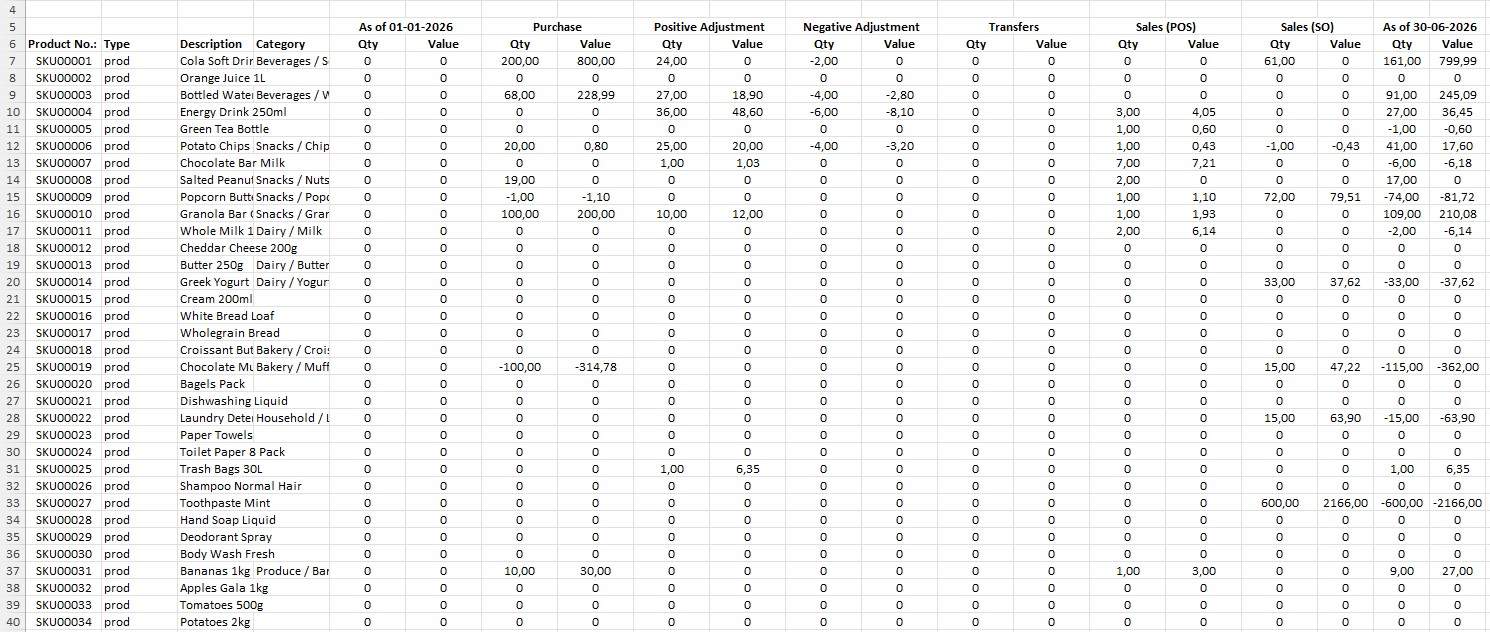
- Review the table, which includes inventory valuation columns for purchases, sales through POS, sales through sales invoices, positive adjustments, negative adjustments and transfers.
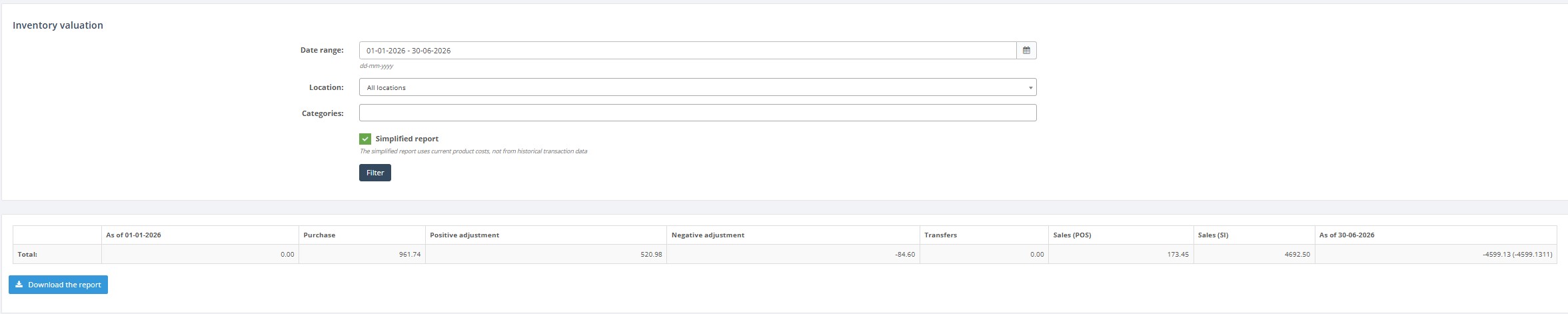
- If needed, click Download report to export the result.
Required fields
- Date range
- Location
Validation rules
- The selected location must exist.
- Categories must come from the configured category list.
Exceptions
- Simple mode changes how values are presented; it should be tested with users or management if there’s any uncertainty about which version to use.
Common errors
- Users compare simple and detailed results without realizing they are different output modes.
- Users forget to filter to the correct location and misread totals.
Troubleshooting
- If values do not match expectations, first confirm the selected location and categories.
- Compare the report period with Stock Location or Transactions when reconciling inventory movements.
- Use the export when the report needs additional offline review.
Questions / Gaps
- The exact difference between the standard and Simple mode should be confirmed in live use if end users need a detailed explanation.